Disclosure: This guide contains affiliate links. If you buy through them, BunyanSafe may earn a commission at no extra cost to you.
A smart plug can switch a lamp on a schedule while you’re away, but it isn’t a burglar alarm. The useful decision is which app or home system you already use, how many lamps you want to control, and whether you need a fixed schedule or a model-specific Away Mode. This guide compares four current plugs for holiday-travel lighting.
We compared HAP-validated product listings with manufacturer documentation. We didn’t install or test these plugs ourselves. Features depend on the exact model, app, network, and controller; check the current manual before ordering.
Quick picks for scheduled lighting
- Four lamps across rooms: Kasa HS103P4 four-pack, with manufacturer-documented schedules and Away Mode.
- Alexa household: Amazon Smart Plug, for a buyer who wants to build an Alexa routine and verify the exact plug’s setup.
- Existing Hue home: Philips Hue Smart Plug, with Hue Bridge for remote scheduling and automation.
- Matter ecosystem: Enbrighten Matter indoor smart plug, after confirming your preferred controller and app support the routine you want.
What a lighting schedule can—and can’t—do
A schedule turns a compatible lamp on and off at chosen times. A model’s Away Mode may vary the timing so it doesn’t look like the same fixed timer every night. TP-Link documents both schedules and Away Mode for its HS103P4. That can make a home look occupied; it doesn’t detect an intruder, guarantee that anyone is fooled, or replace locks and neighbors checking the property.
Start with two rooms visible from outside, rather than illuminating every window. Test the lamp’s own switch: some lamps won’t resume their previous state when outlet power returns. Set up the schedule while you’re still home, then watch it run for several evenings.
Do not publish your travel dates on a public schedule. A trusted contact, working door locks, and a plan for deliveries remain useful. Our sliding door lock guide can help with a separate entry-point check.
Smart plug comparison
| Plug | Best-fit setup | Listing quantity | Check before buying |
|---|---|---|---|
| Kasa HS103P4 | Kasa Wi-Fi app | Four-pack | Wi-Fi coverage and each lamp |
| Amazon Smart Plug | Alexa routine | Check listing bundle | Alexa app and routine behavior |
| Philips Hue Smart Plug | Hue lighting system | One-pack | Bridge for remote automation |
| Enbrighten Matter indoor plug | Matter controller | One-pack | Controller and schedule support |
1. Kasa HS103P4: several rooms, one app
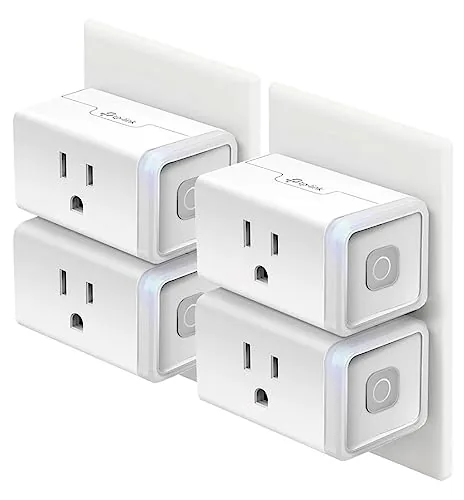
The validated listing identifies a four-pack of HS103 smart Wi-Fi plugs. It lists Alexa and Google Home compatibility, no hub requirement, and a 15 A rating; check the manual and connected lamp’s load before use. TP-Link’s HS103P4 product page specifically describes schedules, timers and Away Mode. That makes this the clearest choice here if you want lamps to switch across several rooms without buying separate single-plug listings.
A four-pack only helps if all four intended outlets have the required Wi-Fi signal and the lamps come back on after power is restored. If you need one light, this bundle may be unnecessary. Set each plug up separately and label it by room so a routine doesn’t switch the wrong lamp.
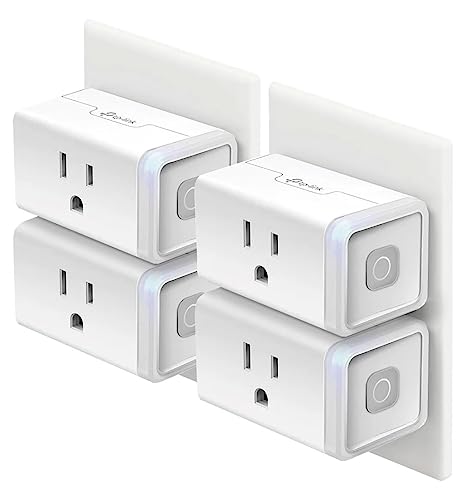
- Voice control: Kasa smart plugs that work with Alexa and Google Home Assistant. Enjoy the hands free convenience of cont…
- Smart Outlet Control from anywhere: Turn electronics on and off your smart home devices from anywhere with your smartpho…
- Scheduling: Use timer or countdown schedules to set your wifi smart plug to automatically turn on and off any home elect…
TP-Link describes Away Mode as turning connected devices on and off at varying times. Test that behavior yourself before leaving; app settings, software changes and home connectivity can affect whether the planned sequence runs.
2. Amazon Smart Plug: an Alexa-centered plan
The Amazon Smart Plug listing says it works with Alexa. It belongs on the shortlist if your household already uses Alexa and you’re comfortable setting a lighting routine there. Amazon’s Alexa routine instructions explain how routines control connected smart-home devices.
Do not assume a built-in randomized Away Mode from the listing title. Plan a fixed routine first, confirm the exact plug appears in the Alexa app, and test both on and off actions. If you use a different smart-home app and don’t want Alexa, another ecosystem may be simpler.

- Amazon Smart Plug works with the Alexa app and compatible Alexa devices to add voice control to any electrical outlet.
- Simple setup – No smart home hub required. Just plug it in, open the Alexa app and follow the stress-free directions to …
- Compatible with many lamps, fans, coffee makers, and other household devices with a physical on/off switch.
Check the exact pack quantity on the live listing. The validated title doesn’t say how many units are in a bundle, so count what you need from the product page rather than assuming a multi-pack.
3. Philips Hue Smart Plug: for an existing Hue home
The validated listing is one Philips Hue Smart Plug. It can turn a traditional lamp into a controlled Hue light. Hue explains that Bluetooth can handle nearby basic control, while a Hue Bridge unlocks remote control and automations. If away-from-home scheduling is the reason you’re buying, confirm you have the Bridge and the supported setup.
This plug makes the most sense if your lamps are already organized in Hue rooms and routines. If you don’t own a Bridge and only need one timed lamp, include that extra ecosystem requirement in your decision. A Bluetooth-only setup isn’t the same thing as an unattended remote holiday schedule.
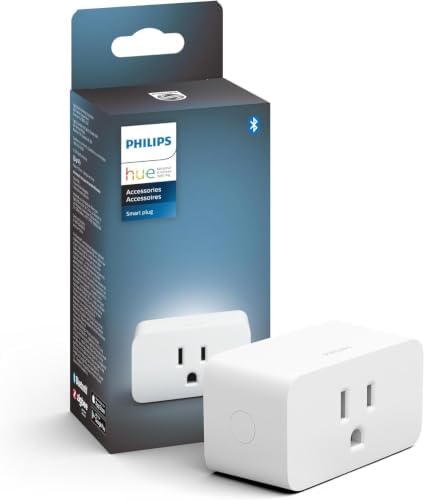
- WHAT’S IN THE BOX – Includes one smart plug; Turns any light, even one in which you can’t place a Hue bulb—into a smart …
- UNLOCK THE FULL POWER OF HUE – Add a Hue Bridge to enjoy automations, control from anywhere in the world, and a secure, …
- INCONSPICUOUS, COMPACT DESIGN – Small, white, and with a subtle design, the Philips Hue Smart Plug was designed to blend…
Make the routine before your trip and test it with the phone away from home. A light visible from outside is useful only if the lamp’s own switch is left on and the plug receives power.
4. Enbrighten Matter indoor plug: check the controller first
The validated listing identifies a one-pack, grounded, indoor Matter smart plug. Matter describes compatibility across participating ecosystems, but it doesn’t mean every controller presents identical scheduling options. Check which controller and app you’ll actually use, then verify that it supports a timed on/off action for this exact plug.
Jasco’s Enbrighten app FAQ is a starting point for setup questions. Match the listing model to Jasco’s current documentation before assuming a Wi-Fi, Thread, or hub requirement; products bearing the Enbrighten name use different connection types.
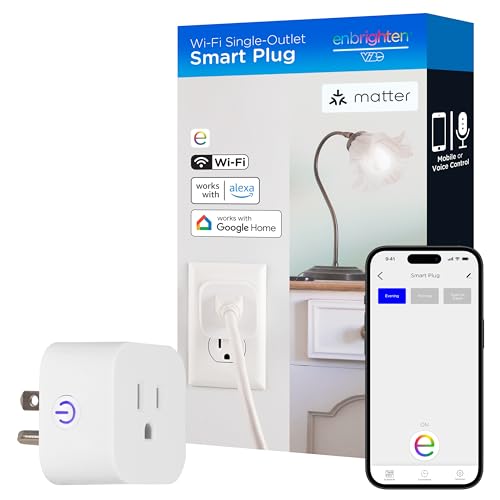
- Wi-Fi Matter Equipped – Use your home’s 2.4GHz Wi-Fi network to connect the smart plug to the Enbrighten app or any Matt…
- Speak Up – No hub required for voice commands through Amazon Alexa and Google Assistant
- Do More – The smart plug allows individual control of your favorite plug-in electronics, small appliances and lights, or…
Choose this only after confirming the controller you already own. For a simple one-lamp timer with no Matter setup at home, the extra compatibility work may not be worthwhile.
Black Friday tip: if you are considering a discounted smart-plug bundle, confirm it works with the app or voice assistant you already use and with your Wi-Fi (many plugs connect only on 2.4 GHz), then check the current price on Amazon. Use smart plugs for lamps, not heaters: space heaters should plug straight into a wall outlet.
Buying guide: seven checks before holiday travel
1. Choose the lamps and count the outlets
List the rooms and lamp locations that matter from outside. Check whether an outlet is shared with another device and whether a bulky plug would block the second receptacle. A four-pack isn’t automatically better than one well-placed plug.
2. Match the plug to your ecosystem
Kasa schedules live in its app; Amazon routines use Alexa; Hue’s remote automations depend on Hue Bridge; a Matter plug depends on a compatible controller and the schedule features of its app. Choose from the setup you already use, rather than shopping by a badge alone.
3. Confirm the lamp restarts after power returns
A smart plug can restore power to the outlet without turning on a lamp with a soft-touch button. Test by switching the outlet off and on while the lamp’s own switch remains set as it would during travel.
4. Test the entire schedule
Create an on action and a separate off action. Check time zone, sunrise or sunset settings if used, and how daylight-saving changes affect the app. Let the routine run while you’re home and verify the actual lamp, not just an app icon.
5. Keep loads within the manual
Use a compatible lamp within the plug’s rating and the lamp maker’s instructions. Don’t use a holiday-away routine to energize a space heater, hot plate or other unattended heat-producing appliance. Our space heater safety guide explains why supplemental heat deserves direct supervision.
6. Use indoor plugs indoors
The Hue and Enbrighten listings here describe indoor plugs, and no product here should be assumed weather-rated. For a porch or outdoor holiday display, find an explicitly outdoor-rated model and follow its manual and weather-protection instructions.
7. Plan for connectivity and power failures
Check Wi-Fi coverage where the plug sits. Test what happens if your internet or power briefly drops; do not assume every routine is stored locally or automatically resumes. Tell a trusted contact how to operate the lights manually if your home network is unavailable.
Fixed schedule, Away Mode, or a basic light timer?
A fixed schedule is easy to check: the lamp switches at the same times. TP-Link’s documented Away Mode varies times for the HS103P4; don’t transfer that feature to every brand in this comparison. A simple physical light timer can be enough when you don’t need app control, although you should still verify compatibility with your lamp.
None of these options is a security system. Treat lighting as one layer alongside sound doors, checked windows and a delivery plan. If you want a device that reports activity, research a dedicated sensor or camera separately rather than expecting a plug to detect it.
Frequently asked questions
Will a smart plug work with any lamp?
Not necessarily. The lamp must operate safely within the plug’s rating and turn on when outlet power returns. Test that behavior at home.
Does a smart plug need Wi-Fi?
Requirements vary by model and ecosystem. Kasa’s HS103P4 uses Wi-Fi, while Hue remote automations use a Bridge. Check the exact product and your controller.
Can a plug make my home burglary-proof?
No. Scheduled lights may make a home look occupied, but a plug cannot detect or prevent every intrusion.
Should I schedule holiday lights while away?
Only with lights and a plug that are approved for the location and load, installed as their manuals require. Do not schedule unattended heat-producing equipment.
Does Matter guarantee an Away Mode?
No. Matter compatibility doesn’t promise the same routine controls in every app. Check the controller and exact plug.
How early should I test the setup?
Run the complete on/off schedule for several evenings before travel and check the physical lamps. Leave a trusted person with a fallback plan.
A sensible smart-plug choice
Start with the lamps and ecosystem you already have. Choose Kasa for its documented four-plug Away Mode, Hue if you have a Bridge, Alexa if you want an Alexa routine, or Enbrighten when your Matter controller supports the needed schedule. Verify the exact listing and manual, test the routine at home, and keep your physical security plan in place.